Screen 23 of 26, Project settings
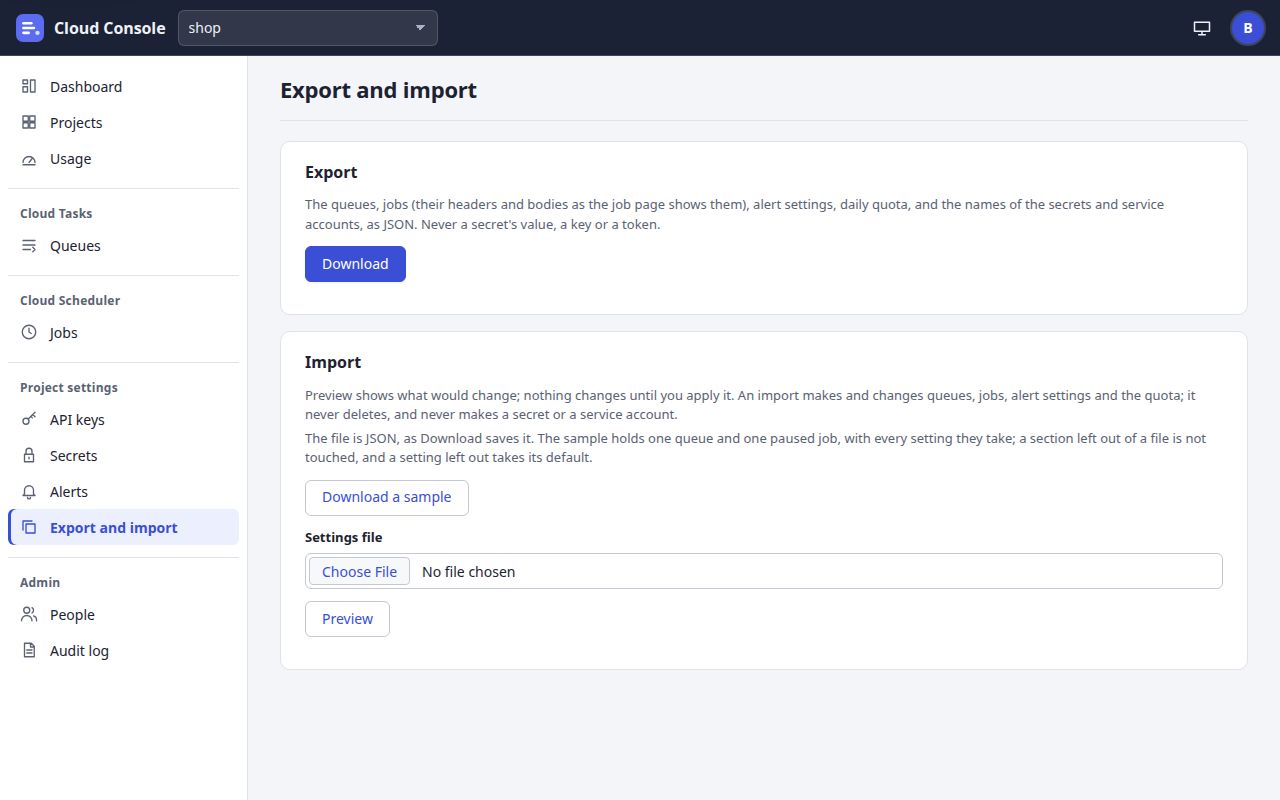
Export and import
A project’s settings as one JSON file: download it, or preview one and apply it.
Export and import, explained
Download saves shop-settings.json. Download a sample saves a file with one queue (sample-queue) and one paused job (sample-job). Choose a file, then Preview: a dry run. Below the button it shows the summary (such as “2 queues and 1 job to make, 1 queue to change; 1 skipped”), the changes, what would be skipped and why, and the secrets and service accounts the file names that this project lacks. Nothing changes until Apply, which shows only when you may make every change.
An import adds and updates. It never deletes or renames, and never makes a secret or a service account. The prototype cannot choose a file, so these buttons bring you to this note.
Click to go to
- Export and import, explained via Download, Download a sample, Preview
- Dashboard via Dashboard, Cloud Console
- Projects via Projects
- Usage via Usage
- Queues via Queues
- Jobs via Jobs
- API keys via API keys
- Secrets via Secrets
- Alerts via Alerts
- People via People
- Audit log via Audit log
- Your account via the account menu
Click an outlined area, or use the links above.
Pictures of a local copy of Cloud Console with the made-up demo project shop, as it is on main. Clicking shows the next screen; nothing is saved. 22 Oct 2026.